What it is
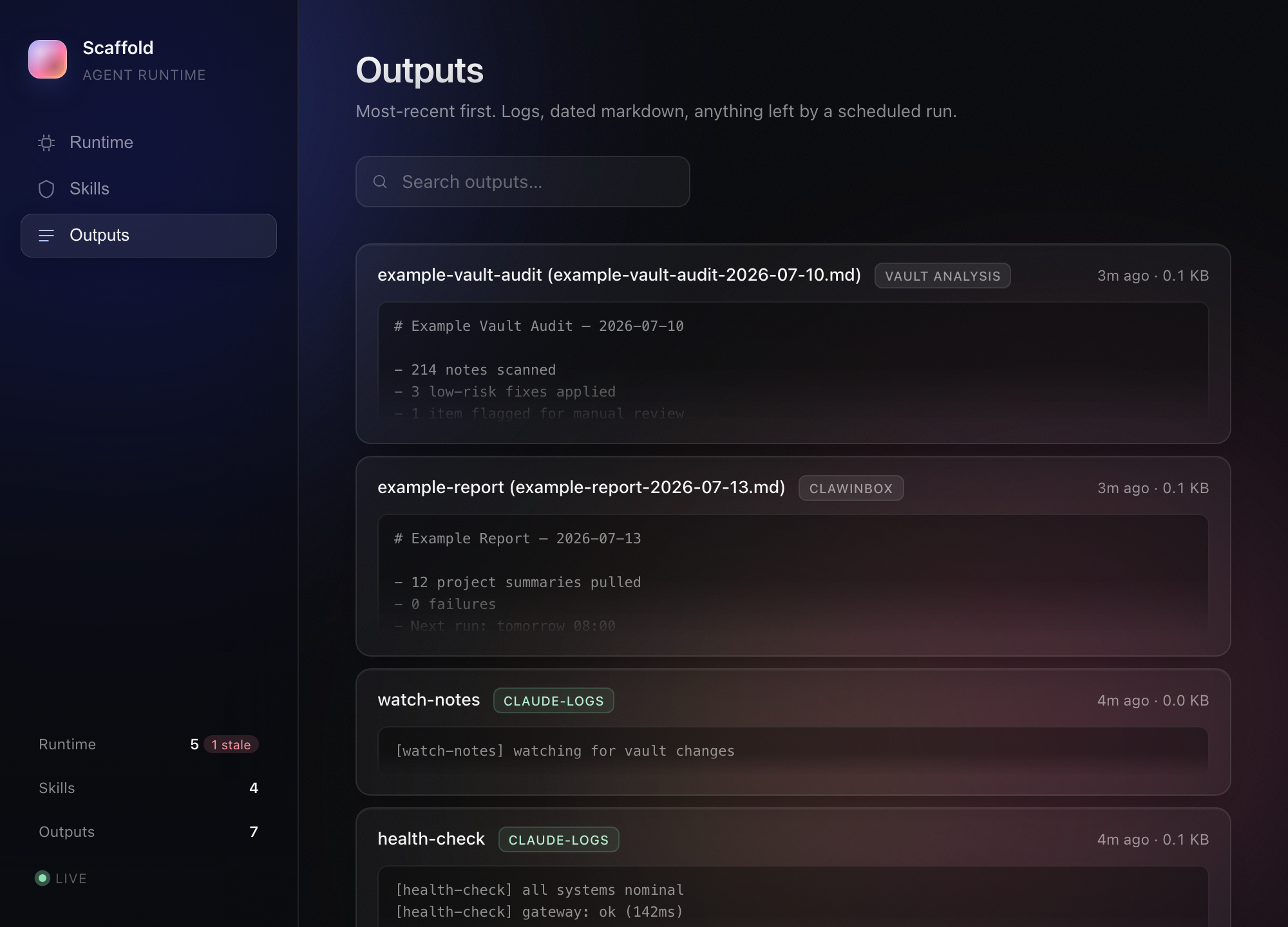
It's one local screen for everything my agents are doing: skills across Claude and Codex, scheduled automations and whatever they left behind. Stale jobs get flagged, outputs render inline and one click reveals the file.
A local Mac app that explains every agent skill, scheduled job, script and connection on my machine in plain English, flags what's failing or unused, and never changes anything itself. It started as a small agent dashboard.

It's one local screen for everything my agents are doing: skills across Claude and Codex, scheduled automations and whatever they left behind. Stale jobs get flagged, outputs render inline and one click reveals the file.
I kept the scope to one question: what's running and what's gone stale. It's localhost only, with a path allowlist on the reveal-in-Finder endpoint, and the public screenshots use fake data so no real job names or paths leak.
A Bun and TypeScript server reading ~/.claude, ~/.codex and LaunchAgent plists, a vanilla HTML and JavaScript front end, and marked for Markdown.
This is a tool for my own agent stack. Once I had enough automations running, I needed to see them. By October it had become Scaffold: a native app with an always-on engine that catches failed jobs macOS never mentions, and hands me a command or a Claude prompt instead of acting on its own.
I’ve got agents running across Claude, Codex, skills folders and LaunchAgents, and nowhere to see what’s actually there: what’s running, what’s stale and what got built once and forgotten. I wanted a small local dashboard that answered that faster than grepping through folders.
A Bun server reads ~/.claude, ~/.codex and LaunchAgent plists, and serves a few endpoints for the summary, automations, skills and outputs. The front end is static HTML, vanilla JS and a bit of CSS, and marked renders any Markdown it finds. A path-allowlisted reveal-in-Finder endpoint jumps straight to the file once you’ve spotted it. It only binds to localhost.
It does the one job: sidebar stats, filterable lists and a stale flag for anything that’s drifted. I built it in one sitting, and for a while I didn’t need to touch it.
The screenshots are the real UI running on seeded demo data. The real version shows real automation names and file paths, which I’m not publishing.
I said I hadn’t needed to touch the dashboard. Then my agent setup kept growing, and the question changed from “what’s running?” to “what’s broken, and what can go?”
It’s now called Scaffold, a native Mac app with a small engine that runs in the background from login. It answers three questions about every piece of my setup: what is it and where does it live, is it working, and do I still need it? Every scheduled job, skill, loose script, note my agents read and outside connection becomes one row, grouped by area, with one plain status: failing, switched off, pointing at missing files, gone quiet, not used in 90 days or working.
The reason it exists is simple. macOS never tells you when a scheduled job fails, and Scaffold does.
Two rules shaped it. It never changes anything itself. It shows the evidence and hands me a Terminal command or a prompt to paste into Claude, and I decide. And it has to make sense to someone who isn’t an engineer, so September’s versions were about saying what each job is and whose it is, and making every decision undoable. The October version puts 110 things across 14 areas on one screen.
The screenshots are still the original dashboard on demo data. Scaffold shows real job names and file paths, so it stays off the internet.